

This lesson tests all the decisions that make up one feature: an AI tool that chases a small business's late invoices, drafting each email for the owner to approve before it goes. Six simulations on a model of 400 UK SMEs. One decision came back contradicted, and it is one the spec never presented as a decision at all. The chasers send from the owner's own email account, which needs a permission 75% of owners are very uncomfortable granting, and 73% say that is too risky even when they approve every message first.
What you'd normally do
Build it. Pick day 3 for the first reminder because it sounds about right, send from the owner's own account because that is what the integration makes easy, and find out which of those was wrong from the drop-off at the permission screen, or from the first client who takes a reminder badly.
What you bring
A feature spec, or anything else that describes one thing you are about to build:
- One section of a PRD
- A ticket with acceptance criteria
- A flow, or a sequence of screens
- A set of default settings
- An email or notification sequence
For this example it is the flow for an invoice chasing feature: how a late invoice becomes a drafted email, how the owner approves it, and how it goes out. Among the things it assumes is this:
Drafts land in the approval queue. Approved drafts send from the owner's connected mailbox, so replies come back to the owner, not to the product.
That is written as a description of how the feature works. It is also a decision.
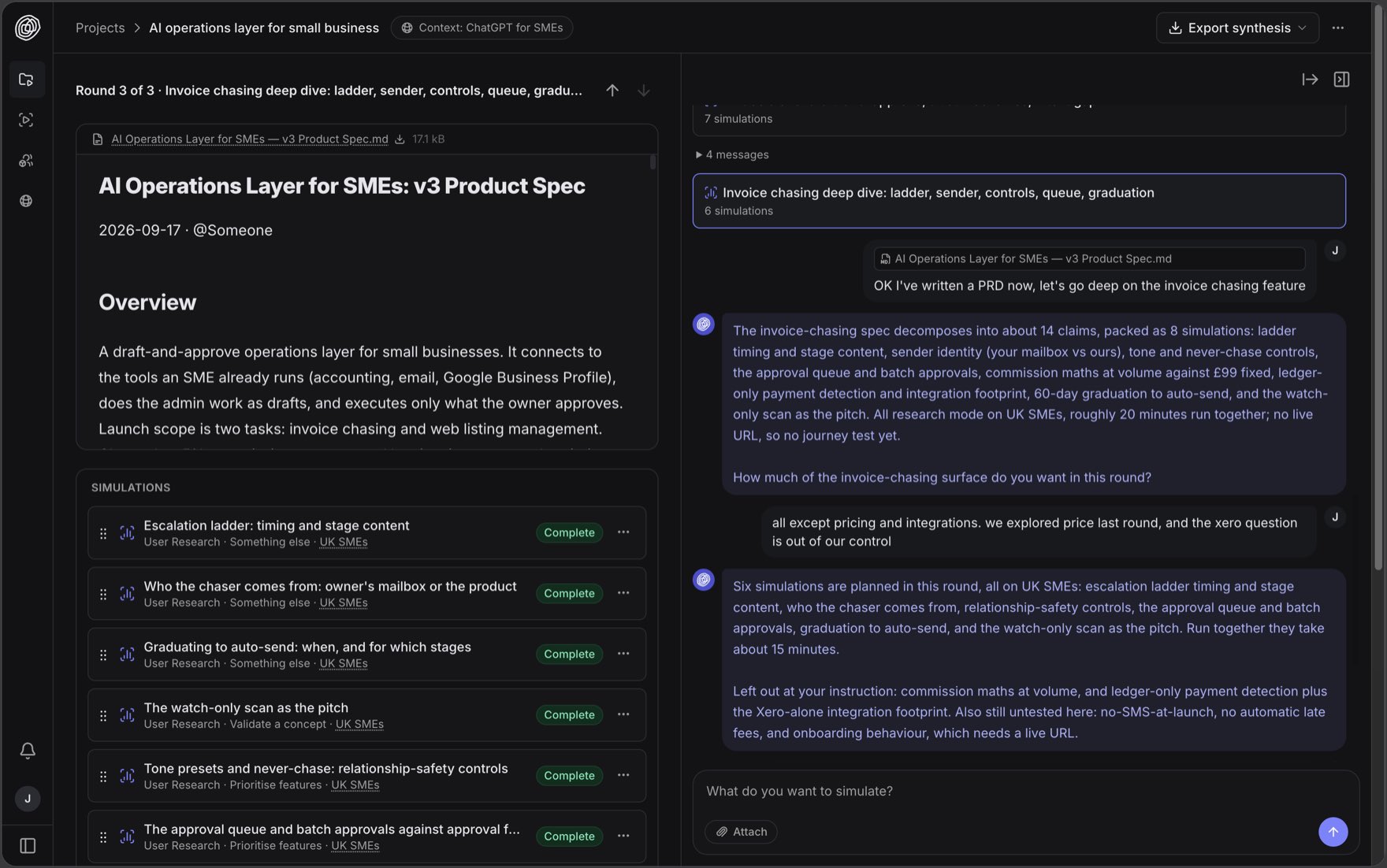
What comes back
A spec marks some of its choices as choices. The reminder timings here are followed by a line saying they are editable, which is the document telling you it knows there are alternatives. Other choices are written as description: the chasers send from the owner's own account. Both are decisions.
The agent reads the section and pulls out every decision in it, the ones written as choices and the ones written as facts, and then plans simulations to test them. Eight in this case, of which six were run.
Three of the six simulations test a decision with alternatives, so each option is scored against the others. All three describe the same email. The spec settles the timing in one section, the sending address in another, and the point at which it stops asking in a third, so nothing in the document puts the three side by side.
The simulations ran in two batches of about fifteen minutes, and every option came back with a score. Those three decisions scored like this.
| Decision | What the spec chose | Where it ranked | What won |
|---|---|---|---|
| When the reminders go out | Day 3, 10, 21, 35 · 88% | 2nd of 4 on fit | The same |
| Which address they come from | The owner's own account · 70% | 2nd of 4 | accounts@ the owner's domain · 73% |
| When it stops asking first | 60 days of approvals · 62% | 1st of 4 | The same |
flowchart LR
  subgraph G["`**When it stops asking first**`"]
    direction LR
    G1["`30 days of approvals`"]:::question ~~~ G2["`60 days of approvals · spec, supported`"]:::validated
    G3["`20 drafts approved unchanged`"]:::question ~~~ G4["`After one invoice is recovered`"]:::question
  end
  subgraph S["`**Which address they come from**`"]
    direction LR
    S1["`The owner's own account · spec, not supported`"]:::contradicted ~~~ S2["`accounts@ the owner's domain · best scoring`"]:::validated
    S3["`The product's address, labelled`"]:::question ~~~ S4["`Copy the draft and send it yourself`"]:::question
  end
  subgraph W["`**When the reminders go out**`"]
    direction LR
    W1["`Day 1, 7, 14, 21`"]:::question ~~~ W2["`Day 3, 10, 21, 35 · spec, supported`"]:::validated
    W3["`Day 7, 21, 45, 60`"]:::question ~~~ W4["`Only when you ask`"]:::question
  end

  class W,S,G simulation
Every option each of the three was scored against, with the verdict on each. Grey is everything the spec passed over.
The spec also settles a set of controls that sit around the chasing: which clients can be excluded, how often anyone is chased, whether a draft can be edited before it sends, what gets logged. Those are not alternatives to each other, so each was scored on how essential it is before an owner would let the tool email a client at all.
| Control | Essential or absolutely essential |
|---|---|
| A plain-English log of every draft, approval, send and payment | 99% |
| Editing every draft before it sends, with edits shaping future ones | 98% |
| A cap of one reminder per client per seven days | 97% |
| Marking a client as never-chase | 96% |
| Gentle, standard and firm tone presets | 93% |
| Suggesting a gentler tone for long-standing clients | 78% |
Most of the spec was supported, which is what you would expect of a document that was itself written from earlier simulation results. The one decision where something scored higher is the schedule: a faster ladder fits 90% against the spec's 88%, but its first reminder lands one day after the invoice is due, and that makes 60% very uncomfortable. The spec's schedule stands.
The controls were supported as well, and the spec already has all six, so it knows they matter. But it treats them as a concession to one part of its audience: it cites 52% who worry that AI chasing could damage client relationships, and says that half will not convert without these controls. Every one of the six is essential or absolutely essential to at least 78% of the whole audience, and 79% strongly agree they would not trust the tool to email on their behalf at all without the ability to exclude a client. The item the spec leads that section with, the tone presets and the automatic softening for long-standing clients, covers the two lowest scoring of the six.
The exception is the sending address, which the spec never presented as a choice. Sending from the owner's own account needs a permission that 75% of owners are very uncomfortable granting, and 73% strongly agree it is too risky even when they approve every message first. A dedicated address on the owner's own domain, such as accounts@ their business, needs no such permission, scores 73% very willing, and 94% say it would make their business look more professional to clients. The spec's reason for using the owner's own account is that replies come back to them; 52% strongly disagree that awkward replies landing in their own inbox would be reassuring.
What you changed because of it
Approved drafts send from the owner's connected mailbox, so replies come back to the owner, not to the product.
Reminders send from a dedicated address on the owner's own domain, which needs no mailbox permission. 73% are very willing to use it, and 94% say it looks more professional.
After sixty days of approvals with no edits, the two gentlest reminders start going out on their own.
Nothing goes out unapproved at launch. 73% are very uncomfortable with even the gentlest reminder sending itself.
No client is chased more than once a week, unless the owner changes it.
The weekly limit can be adjusted but not switched off. 77% strongly disagree it is unnecessary even when they approve every message.
The activity log reads as plain-English sentences with timestamps. Exportable for the accountant.
The log becomes a condition of launch rather than a screen. 99% call it essential, the highest of the six controls.