


The future of marketing and product decision-making is agentic. If that sounds horrible, it's probably because you think it means endless slop, or that you'll be reduced to a human in the loop of a process you don't control and can't even see.
At Semilattice, we believe three things about this.
The first is that agents making these decisions is unavoidable. Agents can already write the brief, the copy and the landing page for a campaign, and a company that refuses to use them will be slower and more expensive than one that does.
The second is that slop is a real problem. Work that is generic, wrong about the people it's for, and produced faster than anyone can check it costs you your customers' attention and trust.
The third is that slop can be avoided, but not by putting a human in the loop. The rest of this post explains why, what to do instead, and how our new Claude skill does it.
Humans are the old problem, not the fix
There was plenty of slop before AI: junk products, ads for things you don't need, and solutions that don't work. Humans are pretty rubbish at building and selling new products and services. 95% of new products flop, 98% of people who see an ad don't click it and 90% of startups fail, and everyone treats those numbers as normal.
AI slop and traditional slop are both what you get when work ships without being checked against the people it's for. Most marketing and product decisions are made on someone's judgement of what users want, because asking users takes weeks and costs money, so it happens once or twice in a project, if at all.
A human in the loop is a person checking an agent's work, and they check it against the same judgement of what users want that produced those failure rates. At best, that gets you today's results, just cheaper and faster.
Put users in the loop instead
The technology that makes agents possible can also simulate how customers and users behave. That means an agent's work can be checked against a model of the users themselves, rather than a person's guess about them.
That's why we think the loop should have users in it.
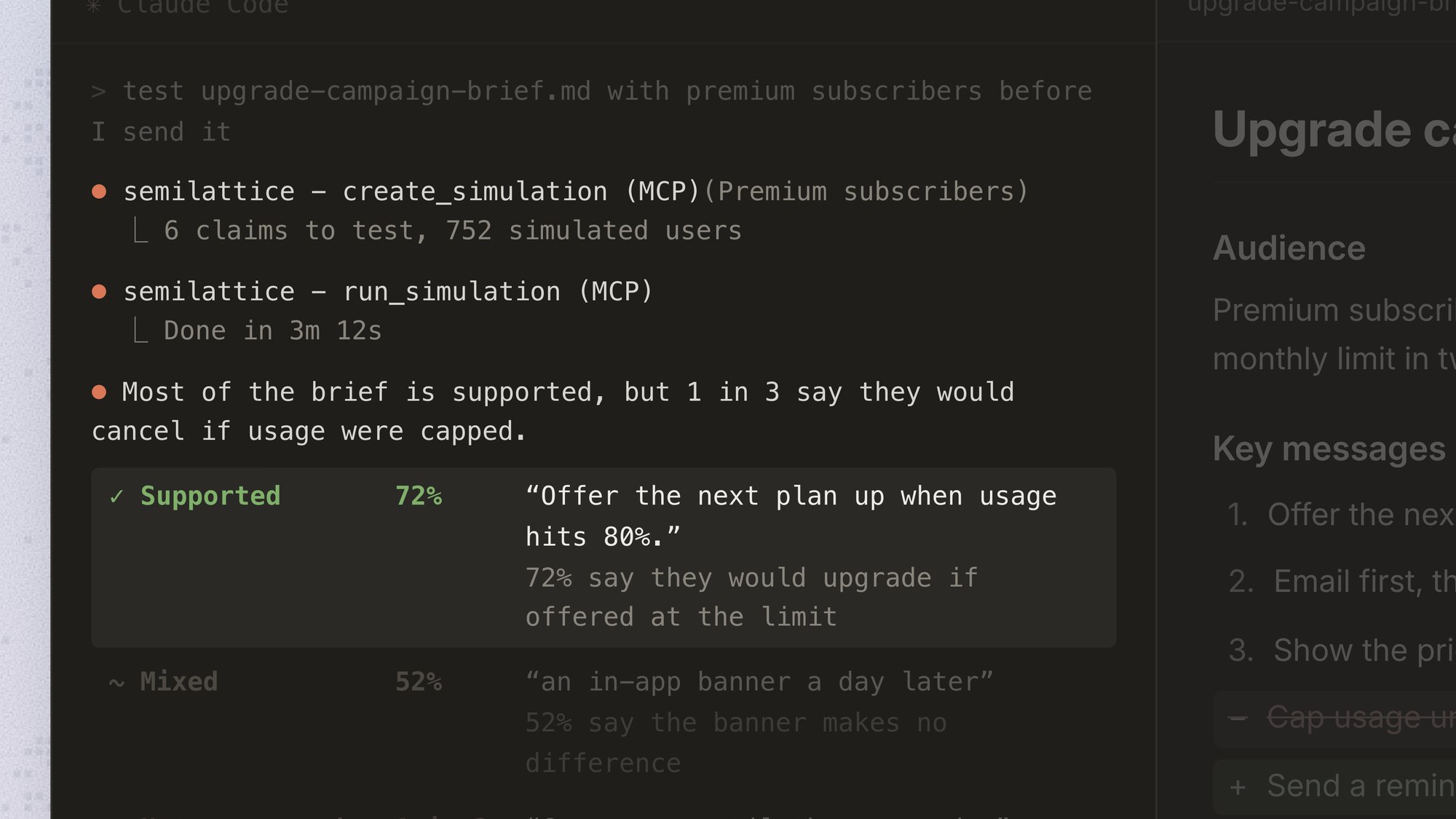
Semilattice gives agents the tools to simulate how users will react to their work. Give an agent Semilattice and a task, and you can watch it correct itself as it goes: it writes a draft, tests it with a model of your audience, reads how they react, and proposes changes to the parts they reacted badly to.
Test every detail, not just the shortlist
Simulations take minutes and cost almost nothing to run. Lots of companies already use simulated users, but mostly the way they used surveys: a researcher runs one small study at one point in the process, such as a message test before a campaign launches, and reports back.
When a simulation costs almost nothing, you can run one on every detail of every version of a piece of work, from the first brief through the concepts and draft copy to the live landing page.
Used that way, simulation does more than stop slop from shipping. Stopping slop means checking an agent's first draft and fixing the worst of it, which gets you back to the failure rates above. Raising the success rate means the agent writes three hundred headlines instead of the three a team had time to argue about, tests all three hundred, and then writes and tests variations on the best ones. We think that's how you improve on those failure rates.
Introducing our Claude skill
Today we're announcing our Claude skill, the best way to give your agent the power of user simulation. We've built for agents from the beginning. We described user-in-the-loop work when we launched Semilattice Custom, and Projects puts our own agent in the app to plan simulations for you. The skill gives Claude the same way of working.
A skill is a set of instructions Claude loads when a task needs them. Ours tells Claude how to run simulations with Semilattice, and how to search through far more options than a team ever could, to find the ones your users respond to best.
How the skill puts users in the loop
- Test everything, not a shortlist.
Give Claude a hundred messages and it plans to test all of them, rather than picking the ten a research budget would have left room for. Before anything runs, it tells you how long the whole job takes, and you choose how much of it to run. - Test what the document assumes, not only what it says.
A campaign brief that positions you as the cheaper alternative to a market leader also assumes that your buyers compare you with that leader at all, that price is what would make them switch, and that they'll see the ads on LinkedIn. Those claims are rarely written down, so they're rarely checked. Where the brief has made a decision, such as leading with price, Claude tests it against the options it passed over. - Ask the right users about each claim.
Semilattice has a range of user models, each one a model of a different audience. Each claim goes to the model that matches the audience it's about, starting with your organisation's own models if you have them, so one document can be tested across several of them. Claude never asks one audience to imagine how another would answer.
Install the skill
The Claude skill page in our docs has the steps for Claude.ai, Claude Code and other clients. There's also a link to it under Claude skill in the account menu in the app.
Once it's installed, ask Claude to test your next piece of work with your users.